The UX Design Process
Most UX designers are involved with researching, gathering user data, creating questionnaires, testing and troubleshooting designs, wireframing, and making prototypes.
Stage 1: Understand
Understand your user and client's brand. Designing for the user experience is all about addressing your user’s pain points. You can do it by conducting an User Interview or surveys to ask your target users questions about their needs and pain points on a product. What are they struggling with? What are they looking for in your product? You can also conduct an Usability Testing to observe how your target audience react while using a program or product.
Secondly, you need to know how this project aligns with your client's brand’s mission and goals.
Stage 2: Analyze
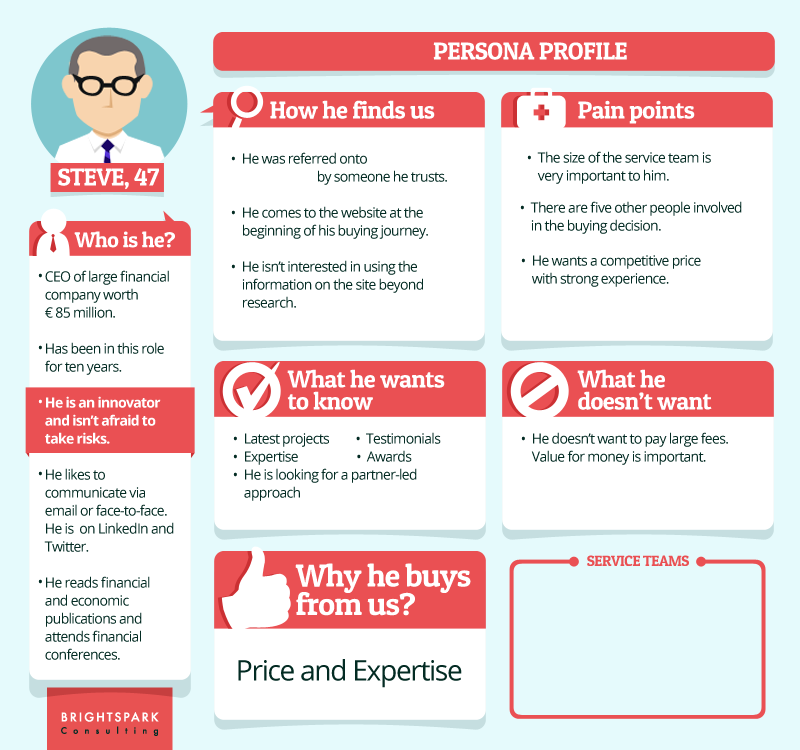
To analyze all the information you collected, you can create the User Personas, which are profiles of your ideal customer, including Background, Age, Gender, Pain points, and Needs. However, the “person” in a persona doesn’t exist as a real individual, each persona comes to represent an idealized end user of a product.
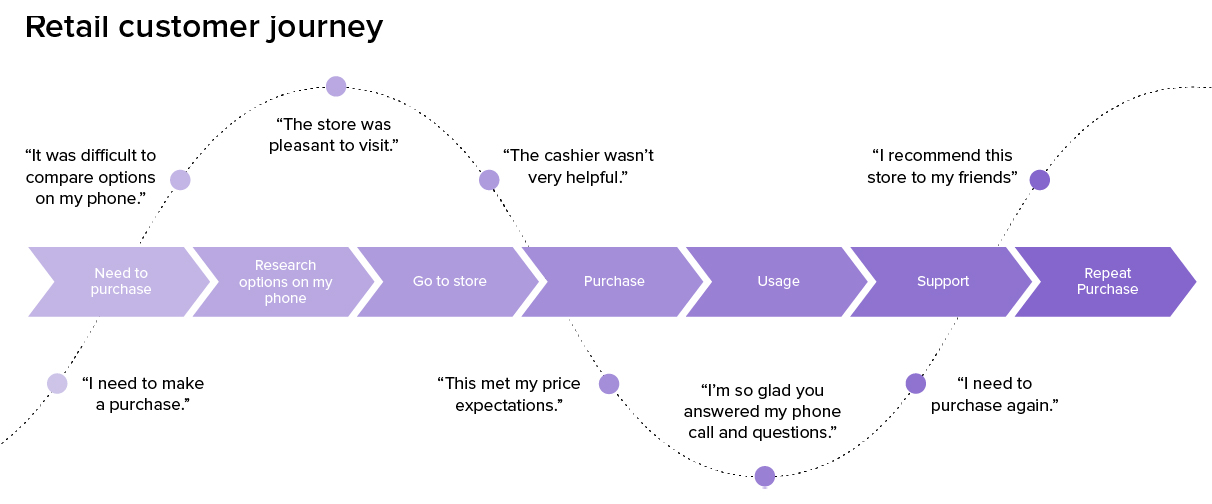
You can also create a User Journey Map, a visual trip of the steps that a user takes including their feelings and pain points about the product.
Stage 3: Design
Building things like: colors, icon, site map, user flow, wireframes, and prototypes.
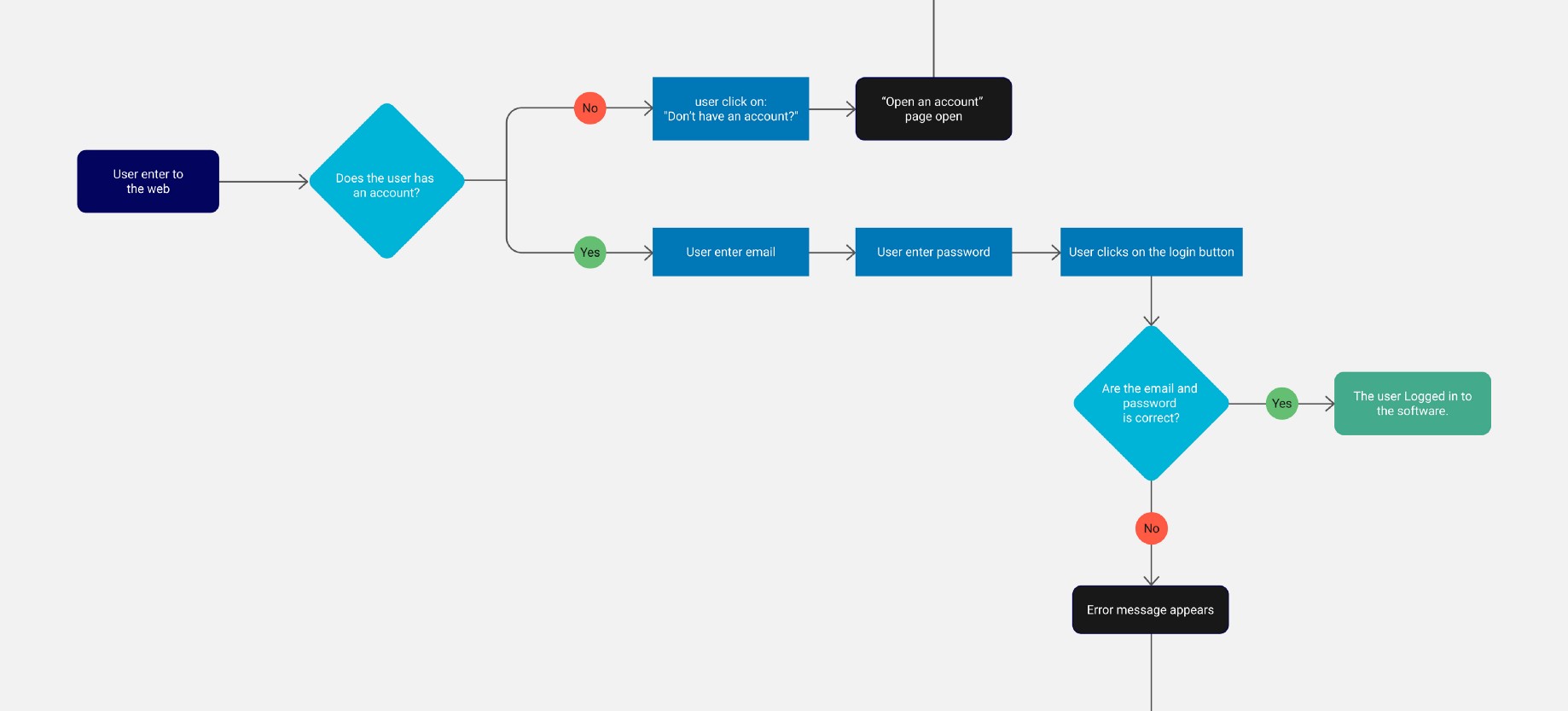
The User Flow describes the intended series of steps a user needs to take to complete a goal on a product. They often include a name, steps and description of what happens during each step.
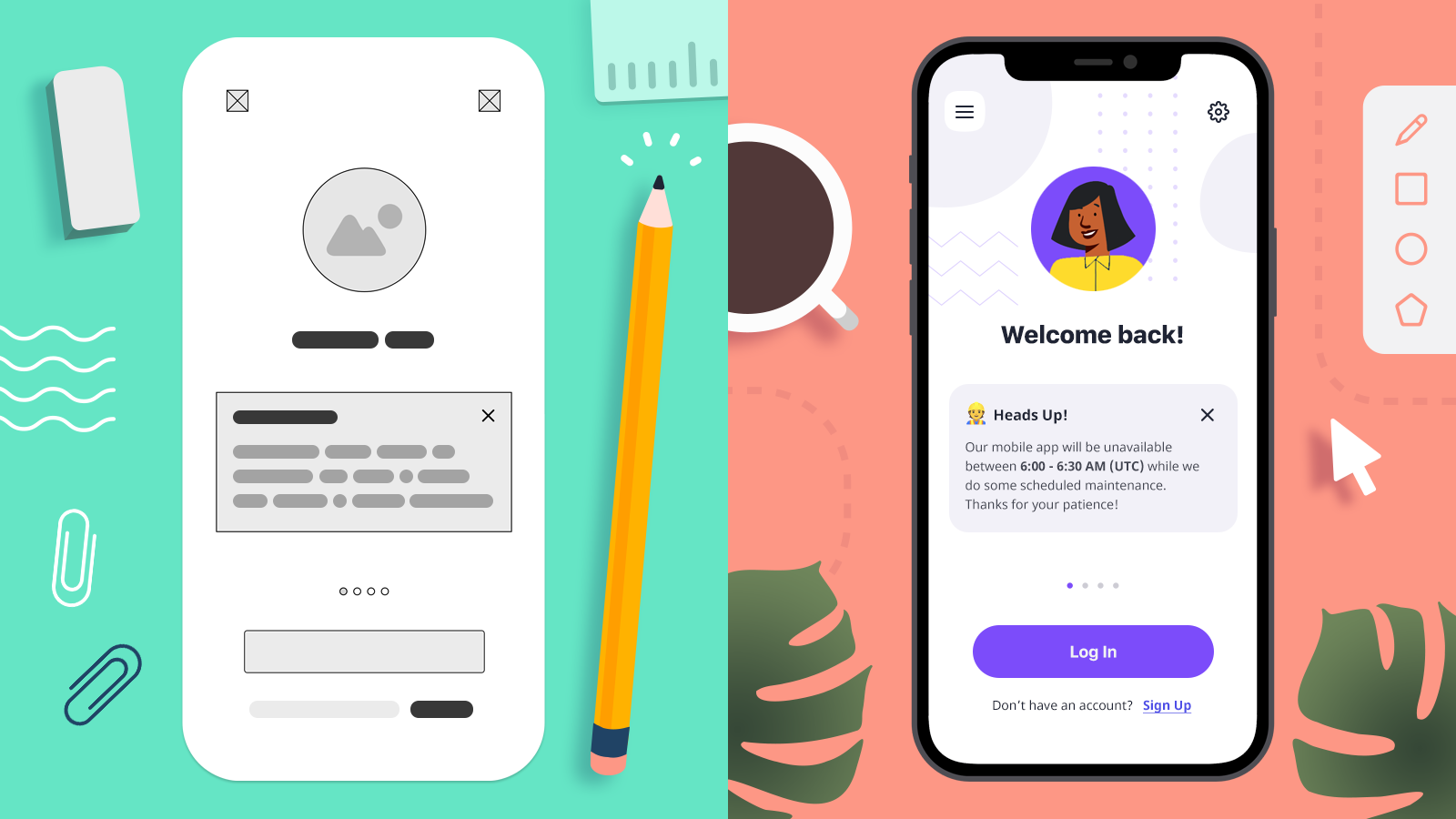
A common skill required for UX design is wireframing, which is creating a rough version of a screen design that does not include any decision-making around color or typography. Wireframing can be done in Figma or on paper. It can help the designer focus on the heirarchy and general display of information instead of getting stuck finding a perfect font or icon.
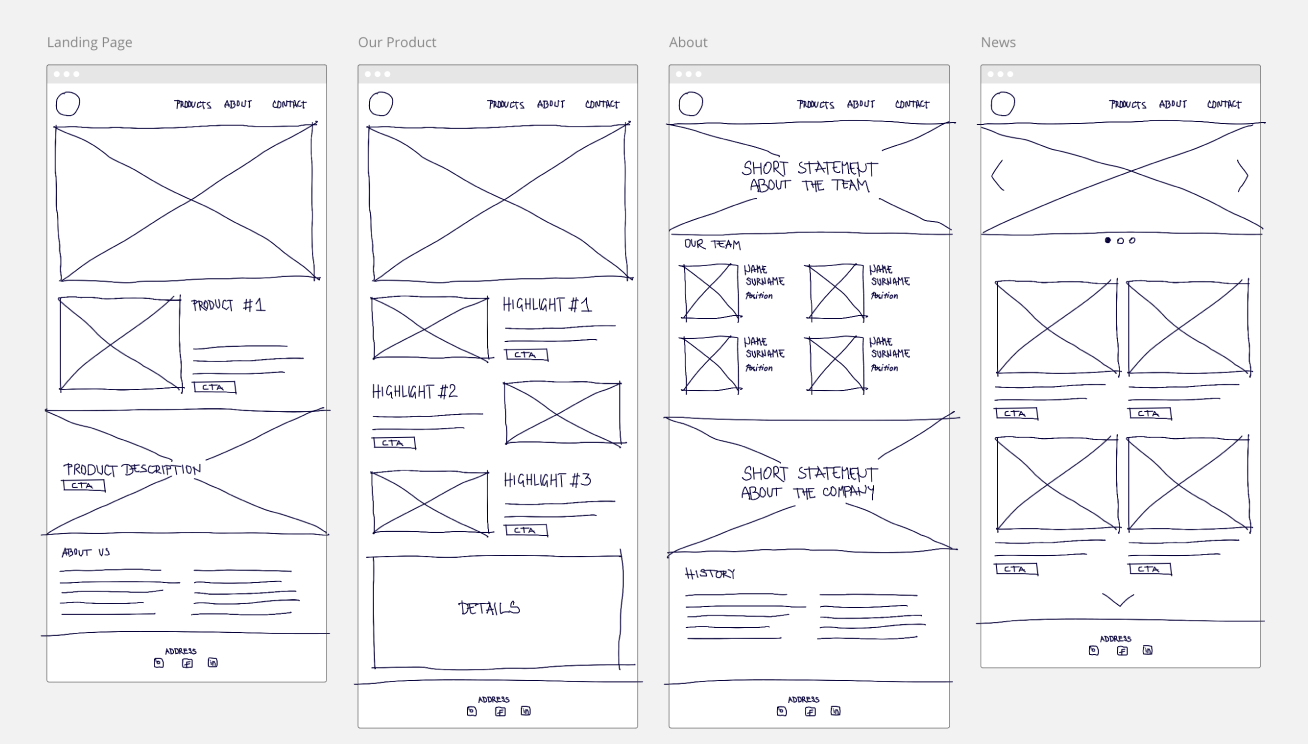
There are Low-fidelity wireframes and prototypes aim to cover basic layout and links between screens, and High-fidelity wireframes and prototypes aim to be very close to final visuals and functionality.
A Prototype is a simulation or sample version of a final product, which is used for testing prior to launch. Its goal is to test products (and product ideas) before sinking lots of time and money into the final product. Examples of digital prototypes including interactive mockups of apps and websites, can be done in several softwares, most people use Figma, Adobe XD or Sketch.
Stage 4: Launch
That means it’s time to implement. In some cases it means you can pass everything to the development team who will code your design.
Stage 5: Analyze Again
Look through the overall final product and ask yourself: Where did our process go right? How are our users responding to the product? Did it solve their issues and pain points? Where can we improve the product? What lessons can we take away from this process for future products? Designer go back and understand your users again.